

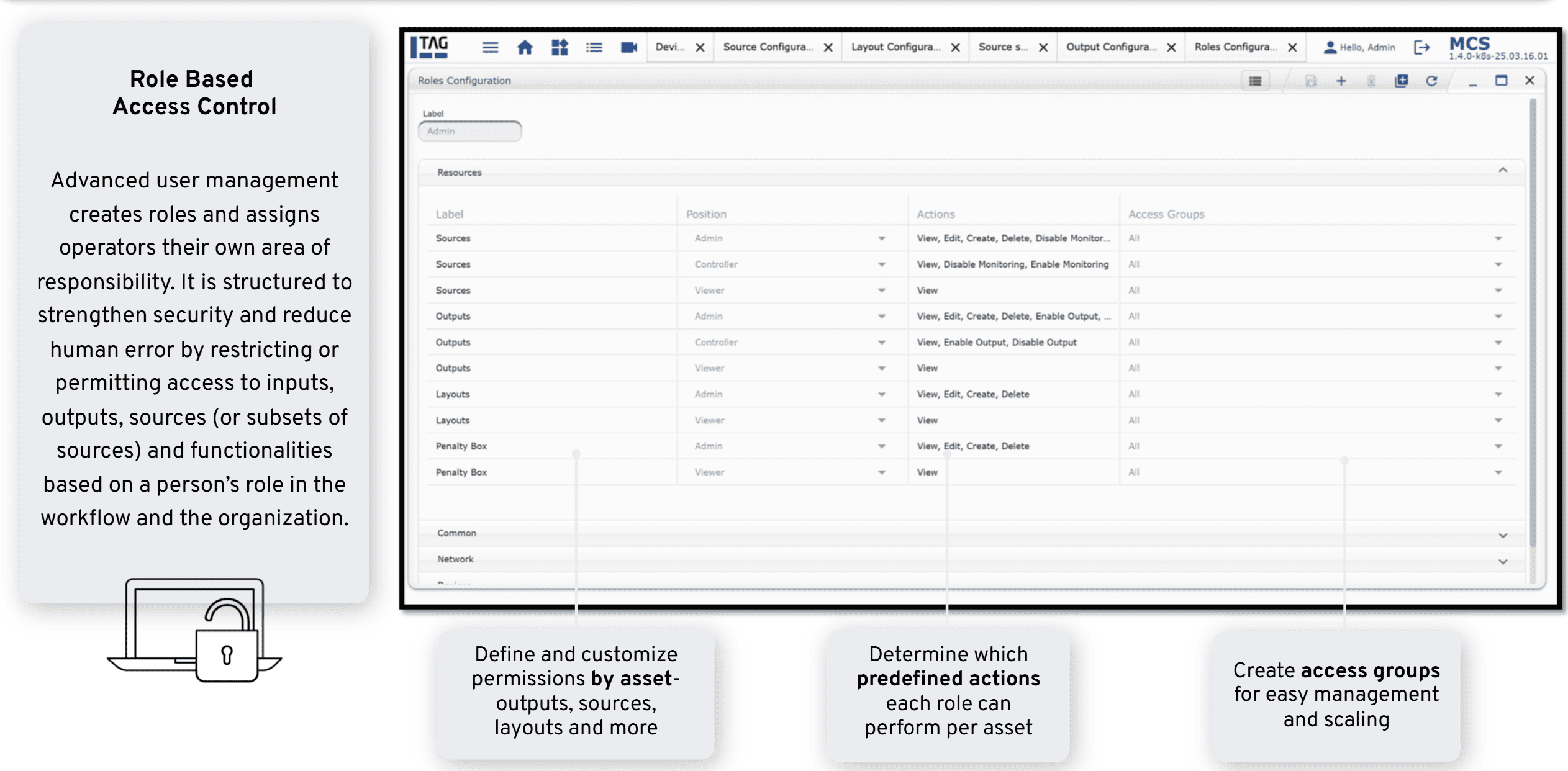
Advanced User Management in TAG’s Media Control System (MCS) allows administrators to define different user profiles, granting or restricting access to resources such as streams, monitoring actions, and system controls.
By creating structured layers of access, organizations can prevent human error, enforce operational consistency, and ensure that each team member interacts only with the tools and content relevant to their role. This is especially valuable in large-scale deployments where multiple operators, engineers, and administrators must work simultaneously.
The result is a controlled, secure environment that scales seamlessly, supports organizational workflows, and maintains system integrity without sacrificing efficiency.
FAQ
Yes; you can create separate Access Groups per site, assign the relevant resources to each group, and then create Roles so users can only view and control the resources that belong to their own studio.
Advanced User Management centralizes access control, improves security by preventing unauthorized access to sensitive features, reduces clutter and user errors by showing users only relevant resources, and provides clear, auditable documentation of who can access what and which actions they are allowed to perform.
Access Groups let you group resources (like channels, outputs, layouts, devices) and limit which sets of resources users can access, while Roles define what those users can do (view, edit, create, delete, enable/disable monitoring); each user gets one Role, which is then applied only to the resources in the Access Groups assigned to that Role.