

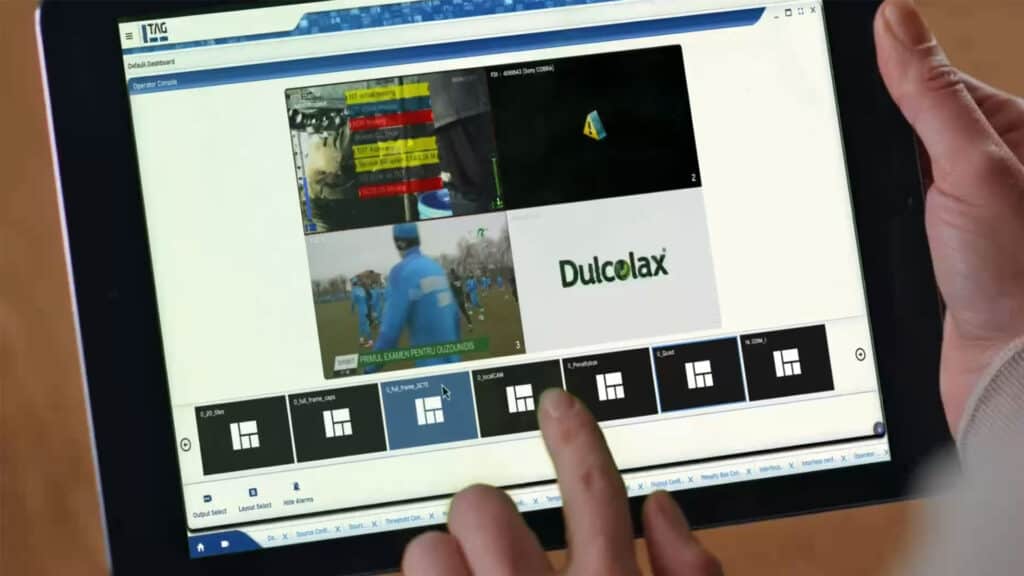
Operator Console is TAG’s intuitive control panel designed for day-to-day operations. Instead of requiring access to system configuration, operators can directly interact with a visual mirror of the live mosaic via a touch-supporting interface. This allows them to switch predefined layouts, choose feeds per tile, listen to source audio, control appearance of alarms and trigger display changes instantly- without accessing the underlying configuration.
By separating operational control from system setup, Operator Console reduces the chance of human error while enabling operators to act quickly in live environments. Teams gain an accessible, easy-to-use tool that streamlines workflows, keeps focus on content, and eliminates unnecessary complexity.
The result is more efficient daily operations, reduced training needs, and a safer way to manage live monitoring environments. With Operator Console, TAG gives operators the power to manage multiviews dynamically and confidently, while engineering teams retain control over core configurations.
FAQ
With Operator Console, you can change between user pre-defined multiviewer layouts, choose featured sources, listen to source audio, control alarm visibility and more.
Instead of navigating through menus and sub items, with Operator Console, you can control the multiviewer directly on a live, mirrored video of it, and touch the tiles you want to control.
No! Operator Console functionality is intentionally limited to typical day-to-day operations, to prevent human error like, for example, deleting multiviewer layouts or accessing feeds without permission.
Yes! with TAG's advanced user management, you can create hierarchies and resource allocation per roles. This means, access to resources or functionality can be restricted per operator or groups of operators.